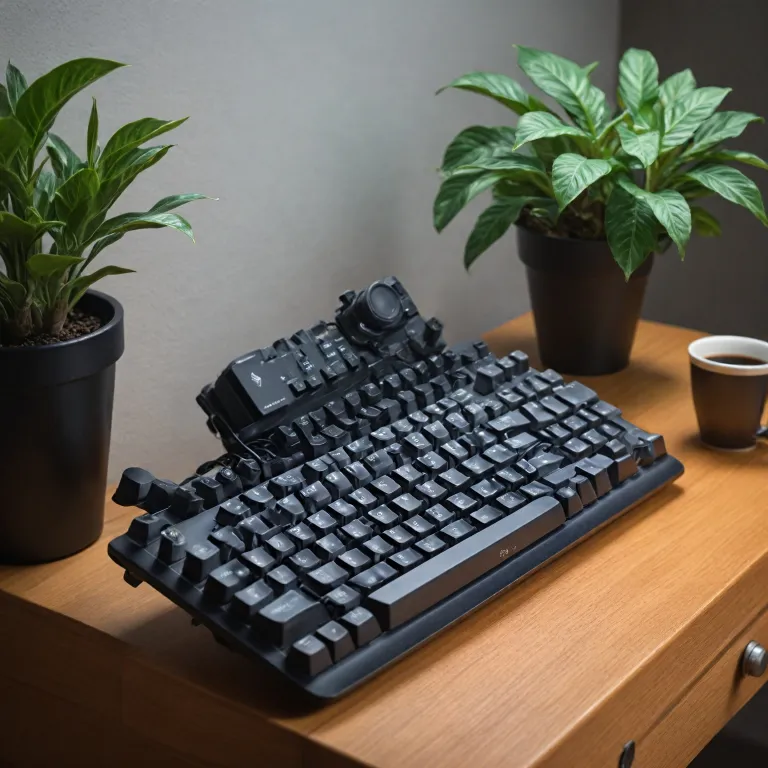
Understanding the appeal of the glove80 ergonomic mechanical keyboard
Why ergonomic keyboards like the glove80 stand out
The glove80 ergonomic mechanical keyboard has gained attention among typing enthusiasts and professionals who spend long hours at the computer. Its split keyboard design, developed by MoErgo, is engineered to reduce strain on your wrists and fingers. Unlike traditional keyboards, the glove80 allows each hand to rest naturally, minimizing awkward angles and promoting comfort. This is especially helpful for those who experience discomfort with standard keyboards or want to prevent repetitive strain injuries.
Features that make the glove80 unique
- Split layout: The left and right halves can be positioned independently, letting you find the most comfortable typing posture.
- Compact and portable: The glove80 comes with a travel case, making it easy to carry between workspaces.
- Customizable keys and layers: With a layout editor, you can remap keys and create multiple layers for shortcuts, macros, and more.
- Mechanical switches: The keyboard supports a range of key switches, including Kailh Choc Red Pro, giving you control over typing feel and sound.
- Ergonomic palm rest: Designed to support your palms and reduce pressure during long typing sessions.
- RGB LEDs: Customizable lighting for both aesthetics and function.
Who benefits from a glove ergonomic keyboard?
Anyone who types frequently—whether for work, gaming, or creative projects—can benefit from the glove80. Its ergonomic design is especially valuable for those who want to protect their wrists and fingers from strain. The split keyboard and customizable layers make it a favorite among users who value efficiency and comfort. If you are comparing ergonomic keyboards like the Moonlander or Ergodox, the glove80 stands out for its compact size, wireless capability, and thoughtful case design.
For those interested in the broader world of ergonomic solutions, exploring ergonomic technology for specialized needs can provide additional insights.
Why consider buying a used glove80 keyboard
Smart Reasons to Opt for a Pre-Owned Glove80
Choosing a used Glove80 ergonomic mechanical keyboard can be a practical move for many computer users. The Glove80, designed by MoErgo, is known for its split keyboard layout, advanced key switches like Kailh Choc Red Pro, and customizable layers. But the price of a new ergonomic keyboard can be a barrier. Here’s why considering a pre-owned option makes sense:
- Cost savings: Used keyboards often come at a significant discount compared to new models, making ergonomic typing more accessible.
- Tested reliability: Many mechanical keyboards, especially those built with quality switches and cases, are designed to last. A gently used Glove80 can still offer years of reliable service.
- Access to rare configurations: Sometimes, used listings include unique key switches, custom keycaps, or even a travel case that’s hard to find elsewhere.
- Lower environmental impact: Buying used helps reduce electronic waste, which is a growing concern for computer enthusiasts and professionals alike.
For those who want to explore other niche markets and understand how used product values can fluctuate, you might find this guide to exploring the market for Honda Rune motorcycles insightful. It highlights how demand and rarity affect secondhand pricing, a principle that also applies to specialized ergonomic keyboards like the Glove80.
When considering a used Glove ergonomic keyboard, it’s important to check the condition of the key switches, palm rest, and case. Some users may have customized the layout editor or added RGB LEDs, which can add value or require adjustments. Always verify that both the left and right halves, as well as homing keys and any included accessories, are in good working order before making a purchase. This approach ensures you get the most out of your investment in ergonomic mechanical keyboards.
Where to find used glove80 ergonomic mechanical keyboards
Popular places to search for a used Glove80
Looking for a used Glove80 ergonomic mechanical keyboard can feel overwhelming, but knowing where to look makes the process much easier. The Glove80, designed by MoErgo, is a niche product, so you won’t find it everywhere. Here are some of the best places to start your search:- Specialized mechanical keyboard forums: Communities like r/mechmarket on Reddit, Geekhack, and Deskthority often have listings for ergonomic keyboards, including the Glove80. These forums let you connect with enthusiasts who understand the value of features like split keyboard design, custom key switches, and programmable layers.
- Online marketplaces: eBay and Mercari sometimes feature listings for used Glove80 keyboards. Be sure to use search terms like "Glove80 ergonomic keyboard," "MoErgo Glove," or "split mechanical keyboard." Always check the seller’s ratings and reviews for credibility.
- Discord groups and keyboard communities: Many mechanical keyboard fans gather on Discord servers dedicated to ergonomic keyboards and split designs. Here, you can find posts about used Glove80s, key switches like Kailh Choc Red Pro, and even travel cases or palm rests.
- Local classifieds: Platforms like Craigslist or Facebook Marketplace occasionally have listings for mechanical keyboards. While rare, you might find someone selling a Glove80 locally, which can make inspecting the keyboard in person easier.
- Vendor buyback or trade-in programs: Some vendors or group buy organizers offer trade-in programs for mechanical keyboards. While not common for the Glove80, it’s worth checking with MoErgo or resellers for any official options.
What to look for in listings
When browsing listings, pay attention to details about the keyboard’s condition, included accessories (like a travel case or extra key switches), and whether both the left and right halves are present. Check for information about the layout editor, RGB LEDs, and any modifications to the keys or case. Photos should clearly show the keycaps, homing keys, and palm rest areas. If possible, ask for a video of the keyboard connected to a computer to verify that all keys and layers work.Comparing sources for the best deal
Comparing prices and conditions across different platforms is key to finding the best deal. Sometimes, sellers on forums are more transparent about the keyboard’s history, such as how much typing it has seen or if the switches have been swapped. On marketplaces, you might find bundled deals that include extra key switches or a travel case. For more insights into smart buying strategies, you can check this guide to finding smart deals on refurbished tech—the principles apply to ergonomic keyboards too. Finding the right used Glove80 ergonomic keyboard takes patience, but with the right approach, you can land a great deal and enjoy a comfortable typing experience for your wrists and fingers.What to check before buying a used glove80 keyboard
Inspecting the Physical Condition
When considering a used glove80 ergonomic mechanical keyboard, start by examining its overall physical state. Look for visible wear on the keycaps, especially the homing keys and those frequently used by your left and right fingers. Check the case for cracks or dents, and make sure the split keyboard halves connect securely. If the keyboard comes with a travel case or palm rest, inspect these for damage as well.Assessing Key Switches and Functionality
The switches are a crucial part of any mechanical keyboard. For the glove80, you might find kailh choc red pro or other low-profile switches. Test each key to ensure it registers correctly and feels consistent. Pay attention to the feel of the switches under your fingers—uneven resistance or sticky keys can signal issues. If possible, ask the seller about the switch type, whether any have been replaced, and if the keyboard supports hot-swapping for easy repairs.Verifying Ergonomic Features and Accessories
A glove ergonomic keyboard stands out for its split design and customizable layout. Confirm that both halves of the keyboard work independently and together. Test the layer switching and layout editor functions, as these are essential for customizing your typing experience. If the keyboard has RGB LEDs, check that they light up as expected. Make sure all included accessories—like cables, travel case, or extra key switches—are present and functional.Checking Compatibility and Customization
Before finalizing your purchase, ensure the used keyboard is compatible with your computer system. Ask if the original firmware is installed and whether the layout editor is accessible. Some users prefer to remap keys or adjust the ergonomic layout for their work style, so confirm that these features are still available. If the keyboard is from moergo or another reputable brand, look for documentation or support resources online.- Inspect for missing or damaged keys
- Test the left half and right half separately
- Check for any issues with the palm rest or travel case
- Verify the presence of key switches and spare parts
- Ensure the keyboard connects properly to your computer
Red Flags to Watch For
Be cautious if the seller cannot provide clear photos of the keyboard, especially close-ups of the keys and case. Avoid listings with vague descriptions or missing details about the ergonomic features. If the keyboard has been heavily modified, ask for specifics about the changes. Trustworthy sellers will be transparent about the keyboard’s history and any repairs or upgrades performed.How to evaluate the price of a used glove80 keyboard
Assessing Value: What Makes a Fair Price?
When looking at used glove80 ergonomic mechanical keyboards, understanding what drives the price is key. The glove80, designed by MoErgo, is a premium split keyboard known for its ergonomic layout, customizable layers, and high-quality key switches like Kailh Choc or Red Pro. To evaluate the price of a used model, consider these factors:
- Condition of the keyboard: Check for visible wear on the case, palm rest, and keycaps. Inspect the left and right halves for any cracks or damage. A well-maintained keyboard will command a higher price.
- Type and condition of switches: The glove80 often comes with low-profile switches such as Kailh Choc. Test the switches for smoothness and consistency. Replacing key switches can be costly, so factor this into your evaluation.
- Included accessories: Does the offer include the travel case, extra keycaps, or a cable for connecting the left half? These add value, especially if you plan to use the keyboard on the go or need spare parts.
- Firmware and customization: Check if the keyboard supports the latest firmware and if the layout editor is accessible. Some users value RGB LEDs or custom homing keys, which can affect price.
- Market comparison: Compare the asking price with recent sales of similar ergonomic keyboards like the Moonlander or Ergodox. Used glove ergonomic keyboards in good condition often retain value, but prices can vary based on demand and features.
Price Ranges and Red Flags
Most used glove80 mechanical keyboards sell for 70% to 85% of their original retail price, depending on condition and included extras. If you see a price that is much lower than average, be cautious. It could indicate missing parts, non-working keys, or potential scams. Always ask for detailed photos of the keyboard, especially the key switches, case, and both halves. Don’t hesitate to request a video showing the keyboard connected to a computer, demonstrating that all keys and layers work as expected.
Remember, a fair deal balances price with the keyboard’s ergonomic benefits, mechanical reliability, and included accessories. Take your time to compare listings and don’t rush into a purchase if something feels off.
Tips for safe transactions and avoiding scams
Protecting Yourself When Buying a Used Glove80
When searching for a used glove80 ergonomic mechanical keyboard, safety should be a top priority. The market for mechanical keyboards, especially ergonomic models like the glove80, attracts enthusiasts but also scammers. Here are practical steps to ensure your transaction is secure:- Verify the seller’s reputation. If you’re buying through a forum or marketplace, check the seller’s feedback and transaction history. Trusted communities for ergonomic keyboards or split keyboard enthusiasts often have dedicated feedback threads.
- Request detailed photos of the keyboard, including close-ups of the key switches, keycaps, palm rest, travel case, and both the left and right halves. Ask for images of the keyboard powered on to check for working RGB LEDs and functional keys.
- Ask about the keyboard’s history. Find out how long it’s been used, whether it was used with a computer daily, and if any repairs or modifications were made. Details about the switches (such as red pro or kailh choc), layout editor use, and any replaced parts like the case or homing keys are important.
- Use secure payment methods that offer buyer protection. Avoid direct bank transfers or payment apps that don’t provide recourse in case of fraud.
- Meet in person if possible, especially for high-value ergonomic keyboards. Test the keyboard: check all keys, switches, and the split connection between the left and right halves. Confirm the layer switching works and inspect for wrist or finger wear.
- Be wary of deals that seem too good to be true. The glove ergonomic keyboards by moergo are in demand, so unusually low prices may signal a scam.
- Document everything. Save all communications, photos, and payment receipts. This helps if you need to dispute the transaction.
| What to Check | Why It Matters |
|---|---|
| Key switches & keycaps | Ensures smooth typing and ergonomic comfort for your fingers and wrists |
| Case and travel case | Protects the keyboard during transport and daily use |
| Layer and layout editor function | Confirms advanced features work for custom typing setups |
| RGB LEDs and split connection | Verifies all electronic components are functional |