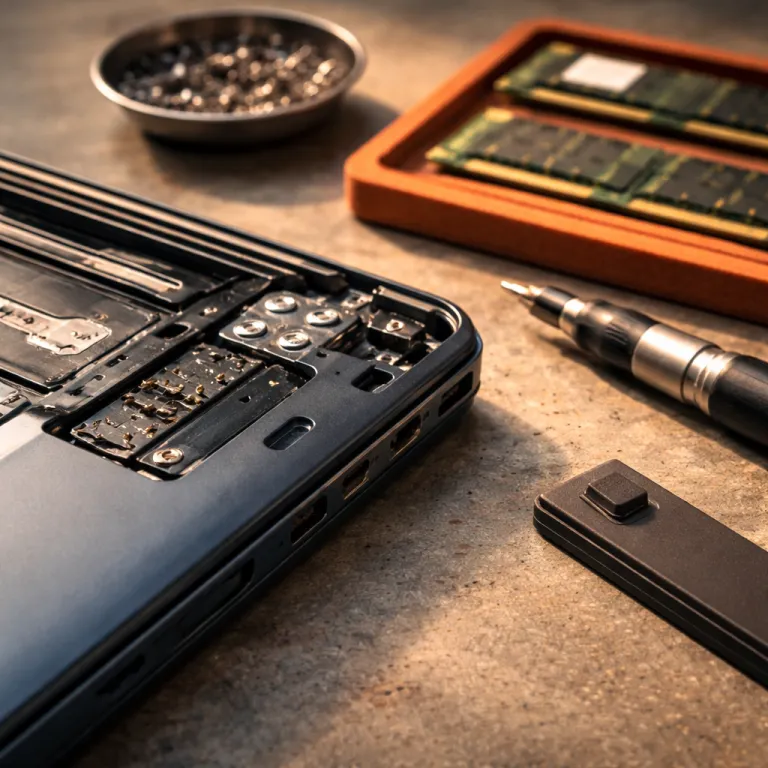
Start with your use case, not with the discount tag
Choosing the best refurbished laptops begins with a clear use case. Before you compare any laptop or chase a big discount, decide whether you mainly browse, work on productivity tasks, or handle creative workloads. That simple choice will define the minimum CPU, RAM, SSD and screen quality you should accept.
For light browsing and streaming, a notebook with an Intel Core i5 from a recent generation, 8 GB of RAM and a 256 GB SSD is usually enough. Aim for a 13 to 14 inch display with at least a Full HD (FHD) resolution, because a sharp 1080p panel makes even older machines feel more modern and comfortable for long reading sessions. In this range, a dual core processor around 2.4 to 3.0 GHz and integrated Intel graphics is fine, as long as the battery, thermals and Windows installation are in good shape.
Productivity users who juggle dozens of browser tabs, spreadsheets and video calls should raise the spec floor. Look for refurbished laptops with 16 GB of RAM, a quad core Intel Core processor from a newer generation and a 512 GB SSD to keep Windows Pro or Windows Professional responsive. A 14 or 15.6 inch FHD or higher panel is a great balance between comfort and portability, and a business focused Dell Latitude or similar model from HP or Lenovo often delivers that mix at a strong discount.
Creative work such as photo editing, light video editing or coding benefits from even higher specs that age well. Here, the best refurbished laptops usually pair an Intel Core i7 or comparable CPU with at least 16 GB of RAM, 512 GB or 1 TB of SSD storage and a high quality IPS or OLED display. If you can, target a 15 to 16 inch screen with accurate colours, a boost clock above 3.0 GHz and enough memory bandwidth to keep large files moving smoothly, because those details matter more to long term value than a slightly lower sticker price.
Quick spec guide by use case
- Browsing & streaming: recent Intel Core i5, 8 GB RAM, 256 GB SSD, 13–14" FHD
- Office & multitasking: quad core Intel Core i5/i7, 16 GB RAM, 512 GB SSD, 14–15.6" FHD+
- Creative & coding: Intel Core i7 or better, 16–32 GB RAM, 512 GB–1 TB SSD, 15–16" IPS/OLED
The spec floor that still feels fast several years from now
Once your use case is clear, set a spec floor that will still feel fast several years ahead. For most buyers, the sweet spot among the best refurbished laptops is 16 GB of RAM, a 512 GB SSD and a sharp FHD or better display. This combination keeps Windows Pro smooth even as apps grow heavier and browser tabs multiply.
On the processor side, focus less on marketing labels and more on the actual Intel Core generation and clock speed range. A recent Intel Core i5 or i7 with at least four physical cores and boost speeds above 3.5 GHz usually outperforms an older, higher tier CPU with a lower generation number. When you compare configurations, check both the generation label and the base frequency, because a newer chip at slightly lower GHz can still be the better long term bet.
Storage and memory are where many refurbished laptops quietly cut corners. Avoid any machine with only 4 GB of RAM, because even a lean Windows Pro install will feel cramped once you open several apps, and upgrading memory later is not always possible. Instead, treat 8 GB as an absolute minimum for a basic laptop and 16 GB as the realistic standard for a Dell Latitude, ThinkPad or similar business notebook that you expect to keep for years.
Screen quality also shapes how long a laptop feels modern. An FHD 13 to 15 inch panel is the baseline, but if you work with visuals, an IPS or OLED screen with better contrast is worth paying for, even on a discounted Dell or other Intel based platform. This is where business class models such as a Dell Latitude in space gray or black often shine, because they pair durable chassis designs with great panels that still look current long after the original purchase date.
Longevity checklist: minimum spec floor
- CPU: recent Intel Core i5/i7, 4+ cores, boost > 3.5 GHz
- Memory: 16 GB RAM (8 GB only for light, short term use)
- Storage: 512 GB SSD or larger for most users
- Display: 13–15" FHD or better, IPS/OLED if you work with visuals
Certification tiers and what they really protect you from
After you know your minimum specs, the next filter for the best refurbished laptops is certification level. Manufacturer certified programs, such as Dell’s own outlet for Latitude models, usually offer the tightest quality control and a warranty that mirrors new laptops, though the discount may be smaller. Retailer outlets and specialist refurbishers can deliver a deeper discount, but their grading standards and testing of CPU, RAM and SSD installations vary widely.
Manufacturer certified refurbished laptops typically go through full diagnostics on the Intel Core processor, memory, SSD and battery health. Cosmetic flaws are minor, and any faulty components are replaced with original parts, which is especially valuable on complex business machines like a Dell Latitude with advanced security hardware. These programs often preinstall Windows Pro, so you get a clean, licensed setup that is safe for work and ready on day one.
Retailer outlet and marketplace “premium grade” labels can still be a great value, but you must read the fine print. Some only guarantee that the laptop powers on and runs Windows, without promising specific battery capacity, keyboard condition or display uniformity, which matters a lot on a 13 or 15 inch FHD panel. Before you commit, compare their checklist against a detailed refurbished electronics checklist, such as the one explained in this guide to what certification actually protects you from, and make sure CPU, memory and storage tests are explicitly covered.
Independent refurbishers on large marketplaces can sit anywhere between those two extremes. Some small shops specialise in business class Dell Latitude laptops and test every Intel Core CPU, every stick of RAM and every SSD with professional tools, while others do little more than reinstall Windows Pro and wipe the case. When you evaluate these offers, treat a clear description of testing procedures, including stress tests at full load and checks for thermal throttling, as a stronger signal of quality than any generic “A grade” badge.
How to vet the seller behind any refurbished laptop deal
Even the best refurbished laptops can disappoint if the seller cuts corners on support. Before you click buy on any configuration, check four things in the listing or shop policy: warranty length, return window, restocking fees and battery health disclosure. These details decide whether a great looking discount is actually safe for your budget.
Warranty length is your first line of defence when a CPU, SSD or RAM module fails early. A minimum of one year on parts and labour is ideal for a refurbished laptop, especially on complex business models like Dell Latitude systems that may have been used heavily in their first life. Shorter warranties of 90 days or less are acceptable only if the price is dramatically lower and the seller has a long track record of positive reviews on similar laptops.
Return policies matter just as much as warranty coverage. Look for at least a 14 day return window with no more than a modest restocking fee, because you need time to test performance, check the FHD screen for dead pixels and confirm that Windows Pro is properly activated. If the seller refuses to state the remaining battery capacity in percentage terms or to confirm that the SSD is healthy, treat that as a red flag, no matter how attractive the discount on the newer model appears.
Reputation signals often outweigh certification badges. A small refurbisher that clearly lists testing steps, shows photos of the actual 13 or 15 inch laptop and responds quickly to questions about RAM or processor generation is usually a safer bet than an anonymous marketplace account with vague descriptions. When in doubt, prioritise sellers who specialise in a narrow range, such as Dell Latitude models or other business class Intel based computers, because their focus tends to translate into better parts sourcing and more consistent quality control.
Seller vetting checklist
- Warranty: aim for 12 months parts and labour
- Returns: at least 14 days, low or no restocking fee
- Battery health: ask for remaining capacity (%) and cycle count; prefer >80% and <500 cycles
- Testing details: look for documented CPU, RAM, SSD and port tests
Where refurbished wins big, and where buying new is safer
Refurbished shines brightest in business class machines, especially two to three year old Dell Latitude laptops, Lenovo ThinkPads and HP EliteBooks. These models were built for corporate fleets, so their Intel Core processors, RAM configurations and chassis designs are engineered for durability rather than thinness at any cost. When they enter the secondary market, you often get a great mix of performance, a sharp FHD display and robust keyboards at a steep discount compared with new consumer laptops.
For everyday productivity, a refurbished laptop with a quad core Intel Core i5, 16 GB of RAM and a 512 GB SSD can easily match or beat a new budget machine at the same price. Many of these business laptops ship with Windows Pro, which adds features such as BitLocker encryption and Remote Desktop that are valuable if you handle sensitive data or work remotely. In this segment, the best refurbished laptops often cost 30 to 50 percent less than their original price, yet still feel fast thanks to strong CPU performance and ample memory bandwidth.
There are, however, categories where buying new is usually safer. High end gaming laptops push the CPU and GPU to their thermal limits, so a used machine may have endured years of heat stress at maximum clock speeds, which can shorten component life and make fan noise unbearable. Similarly, very recent M series MacBook models in space gray or silver often hold their value so well that the discount on a refurbished unit is small, while battery replacements and repairs can be costly if anything goes wrong.
For these edge cases, focus on total cost of ownership rather than the headline discount. A new mid range gaming laptop with a full warranty may cost more upfront but less over five years than a heavily used refurbished system that needs a new battery, a clean Windows reinstall and possibly a replacement keyboard. When you stay in the business class Windows Pro ecosystem, though, especially with Dell Latitude lines and similar Intel based computers, refurbished usually offers the best balance of price, reliability and long term support.
A worked example: replacing a failing laptop with a smarter refurb
To see how this framework plays out, imagine your current 15 inch laptop has started crashing under load and the battery barely lasts an hour. You originally paid around 1 400 dollars for this machine, which has an older dual core CPU, 8 GB of RAM and a 256 GB SSD that is nearly full. Rather than rushing into another expensive new purchase, you decide to target the best refurbished laptops in the business class segment.
You define your use case as heavy productivity with some light photo editing, so you set a spec floor of a quad core Intel Core i5 or i7 from a recent generation, 16 GB of RAM and a 512 GB SSD. After comparing several Dell Latitude laptops and similar models, you find a Dell Latitude in space gray with a 14 inch FHD IPS display, Windows Pro preinstalled and a detailed test report on CPU temperatures, memory stability and battery health. The price is 600 dollars, which is less than half of what you paid for your original laptop, yet the benchmarks show significantly higher performance and faster Windows load times.
You then vet the seller carefully. The refurbisher offers a one year warranty, a 30 day return window with no restocking fee and clear photos of the actual configuration, including the FHD panel and keyboard. They specialise in business Intel based computers, mainly Dell Latitude and HP EliteBook lines, and they explain their testing process step by step, from stress testing the Intel Core CPU to verifying that Windows Pro is properly licensed and that every port works.
Over the next several years, this refurbished laptop should age gracefully thanks to its strong processor, ample RAM and generous SSD capacity. You have enough headroom to keep dozens of tabs open, and the 14 inch screen strikes a great balance between portability and comfort. Most importantly, by applying a clear framework instead of chasing the first discount, you have turned a potential emergency replacement into a controlled upgrade that respects both performance needs and budget discipline.
Extending the framework beyond laptops to your wider tech setup
Once you are comfortable evaluating the best refurbished laptops, the same method applies to other tech categories. Start with your use case, define a spec floor, pick a certification tier and then vet the seller’s policies and testing standards. This approach works for refurbished monitors, tablets and even storage, as long as you understand the key components, such as CPU equivalents, RAM, SSDs and firmware support.
Storage is a good example, because refurbished drives can offer strong value when chosen carefully. The logic behind choosing refurbished hard drives as a smart deal mirrors the laptop process, with a focus on health reports, error counts and warranty coverage. When you pair a carefully selected refurbished laptop with vetted refurbished storage, you can build a capable Windows Pro workstation for a fraction of the cost of a new setup.
The same total cost of ownership thinking also helps when you expand into other connected devices. If you are planning a budget friendly connected home, for instance, a methodical approach to specs, certification and seller reputation will serve you well when you compare hubs, cameras and smart speakers. A detailed framework like the one used in a guide to building a smart home under 500 dollars, such as the one outlined in this smart home budgeting article, shows how disciplined choices across categories can compound into major savings.
In every case, the pattern stays the same. Treat the headline discount as an invitation to investigate, not as a reason to rush, and always check how CPU performance, RAM capacity, SSD storage and warranty terms align with your real needs. When you apply that mindset consistently, refurbished laptops and other refurbished electronics stop being a gamble and become a reliable strategy for stretching your budget while still enjoying fast, safe and capable tech.
Key figures that frame the refurbished laptop opportunity
- Market analysts such as IDC and Canalys report that the global refurbished computer and laptop market is growing at an annual rate of about 6.4 percent, reaching several billions of dollars in value, which reflects rising consumer comfort with refurbished laptops as a mainstream option rather than a niche choice. Recent IDC and Canalys coverage of the broader PC and secondary device market underpins this growth estimate.
- Price tracking from major refurbishers and reseller reports shows that a typical business class refurbished laptop sells for up to 50 percent less than its original new price, meaning a model that launched at 1 200 dollars can often be found around 600 dollars once it enters the certified refurb channel. Public pricing from large refurbishers and reseller marketplaces consistently supports this 30 to 50 percent discount range.
- Industry coverage of premium notebook lines from sources like Gartner and manufacturer earnings calls notes that some brands have raised prices on new flagship laptops, which widens the gap between new and refurbished and makes certified business class machines with Intel Core processors and 16 GB RAM configurations even more attractive. Gartner’s PC market commentary and vendor financial reports both highlight this shift toward higher average selling prices.
- PC shipment forecasts from IDC and other research firms indicate one of the sharpest declines in new computer sales in over a decade, a trend that often pushes more value conscious buyers toward refurbished laptops and encourages brands to expand their official refurb programs. IDC’s quarterly PC tracker and similar analyst notes repeatedly point to this contraction in new shipments.
FAQ: buying the best refurbished laptops
How much should I pay for a good refurbished business laptop?
For a solid business class refurbished laptop with a recent Intel Core i5 or i7, 16 GB of RAM, a 512 GB SSD and a 14 or 15 inch FHD display, expect to pay roughly 500 to 800 dollars. Prices vary with processor generation, condition, warranty length and whether Windows Pro is included. Below that range, you often see compromises on CPU performance, memory capacity or warranty coverage.
Is a refurbished Dell Latitude laptop a safe choice for work?
A Dell Latitude from the last few generations is usually a safe and cost effective choice for work, provided it comes from a reputable refurbisher with at least a one year warranty. These business models are built for durability, offer strong Intel Core performance and often include enterprise features in Windows Pro that consumer laptops lack. Always check battery health, SSD status and the seller’s return policy before committing.
What specs should I prioritise to keep a refurbished laptop fast for years?
To keep a refurbished laptop feeling fast for several years, prioritise a recent Intel Core CPU with at least four cores, 16 GB of RAM and a 512 GB or larger SSD. Pair that with a 13 to 15 inch FHD or better display and Windows Pro for a balanced mix of performance and usability. This spec floor offers enough bandwidth and storage headroom for growing apps and file sizes.
Are refurbished gaming laptops worth it, or should I buy new?
Refurbished gaming laptops can offer strong performance per dollar, but they carry more risk than business class refurbished laptops because their CPUs and GPUs often run at maximum clock speeds for long periods. That sustained heat can stress components and fans, especially in thinner designs. If you choose a refurbished gaming machine, insist on detailed thermal testing, a long warranty and clear photos, and be prepared for higher noise levels than a comparable new laptop.
How do I check if a refurbished laptop is genuinely a good deal?
To verify a refurbished laptop deal, compare the total package against a new equivalent: CPU generation and GHz, RAM, SSD capacity, screen size and resolution, warranty, return policy and any included software such as Windows Pro. Then calculate the real discount percentage and consider likely future costs, such as a battery replacement or memory upgrade. A genuinely good deal usually combines at least a 30 percent price cut with specs that meet your defined floor and support that protects you from early failures.
