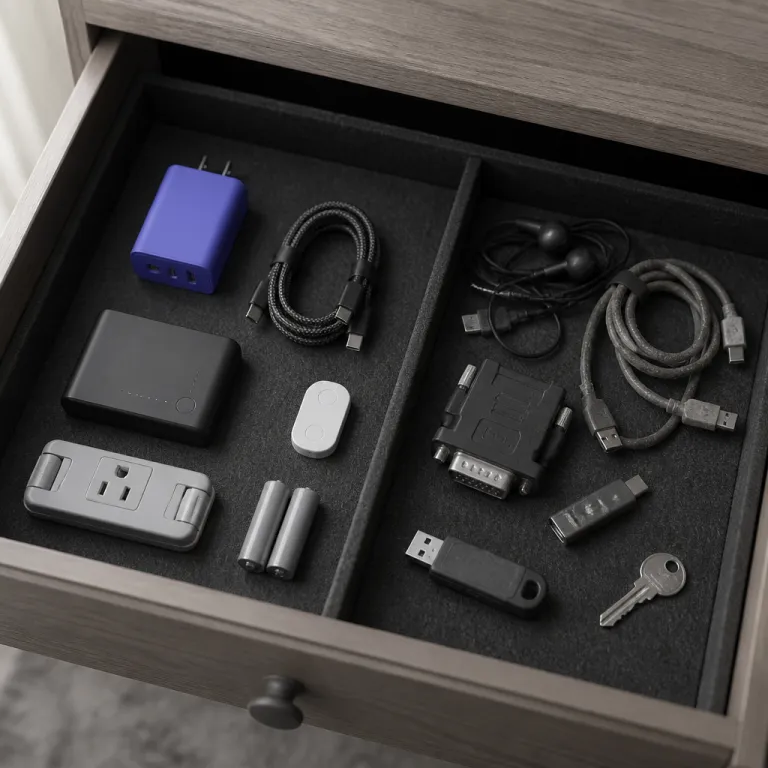
Why a minimum viable tech kit beats the curated first apartment bundle
Setting up a first apartment often starts with a long online search for first apartment tech essentials, starter tech kits, and glossy bundles that promise instant adulthood. Many of those curated "first apartment" kits mix a few genuinely smart devices with a padded list of low value accessories that will sit untouched in a drawer. When you are working with a 300 to 600 dollar budget for tech accessories, every euro or pound needs to go toward products that actually earn their space.
Retailers from local chains to global platforms such as Amazon know that a young professional in a small apartment will pay for convenience, so they assemble a set of generic devices and kitchen gadgets under labels like "smart apartment starter" and quietly raise the price. The starter upsell trap works because the list looks complete at first glance, but it usually hides weak surge protectors, flimsy drying rack options, and novelty smart bulb packs that add clutter rather than value. A better strategy is to build your own minimum viable kit, focusing on a few essentials that solve real problems in the living room, bedroom, and kitchen instead of chasing every trending gadget.
Consumer electronics surveys from firms such as Statista and Deloitte regularly show that roughly 20 to 25 percent of low cost tech accessories are unused after twelve months, which means around a fifth of that first apartment budget quietly turns into e waste. While exact figures vary by country and year, the pattern of underused accessories is consistent across multiple reports and can be checked against the latest Statista and Deloitte consumer technology studies. The goal of a minimum viable tech kit is to flip that statistic so that nearly every device, from a surge protector to a smart speaker, is used weekly and justifies its price over time. Think of each item as a long term tenant in your limited storage space, not a short term guest that will be evicted during your next cleaning supplies purge.
The core first apartment tech essentials that actually earn their space
The heart of a minimum viable kit for a smart apartment is a surge protector with USB Power Delivery, because it protects your devices and replaces a tangle of chargers. Choose a model with enough outlets for your living room media set and several USB C ports, then check whether refurbished or open box units offer a better price without sacrificing safety. For example, a six to eight outlet strip with USB PD from brands like Anker or Belkin typically runs between 25 and 45 dollars new, and often less when bought refurbished; the Anker PowerExtend USB-C 3 Capsule (model A9143) is a compact option with three AC outlets and fast USB C charging that suits a small media console.
Next on the essentials list is a reliable USB C hub that can handle your laptop, external storage, and a 4K passthrough HDMI cable for a television or monitor. A mid range hub often beats the so called best premium models because you pay for stable ports instead of flashy branding, and refurbished hubs can stretch a tight first apartment budget further. Look for a compact 6 to 8 port hub from makers such as Anker, UGREEN, or Satechi in the 40 to 80 dollar range, which is usually enough for a simple living room or kitchen table workstation; a practical example is the Anker 7-in-1 USB-C Hub (model A8346), which combines HDMI, USB A, and card reader ports in a single travel friendly unit.
Connectivity is the third pillar of first apartment tech essentials, and a mesh Wi Fi node can rescue you from a weak landlord router. Rather than buying a full three unit mesh set on day one, start with a single node placed halfway between the router and your main work or entertainment space. A standalone mesh unit from TP Link, Netgear, or Google Nest often costs between 70 and 150 dollars, and if you later move within the United Kingdom or to another country, that node remains useful, while more permanent smart devices such as wired smart light panels may not survive the transition; for instance, a TP Link Deco X20 single unit offers Wi Fi 6 coverage for many small apartments without requiring a complex installation.
For sound, one mid range Bluetooth smart speaker is usually enough for a small apartment, covering both the living room and kitchen without the cost of a multiroom system. Look for a speaker that supports voice assistants so it can double as a hub for simple smart devices like a robot vacuum or a single smart plug controlling a lamp. A compact design also matters, because counter and shelf space in a first apartment is precious, and bulky speakers often end up stored away despite their great sound; popular mid range options from Sonos, Amazon Echo, or Google Nest typically sit in the 80 to 200 dollar band, with models like the Sonos One or Amazon Echo (4th Gen) balancing sound quality and footprint.
Finally, consider one or two carefully chosen kitchen gadgets that cross the line from nice to have into true essentials, such as a small air fryer or a toaster oven with reliable temperature control. For many young professionals, a stainless steel air fryer can replace several cooking appliances, saving both money and space while cutting cooking time on busy evenings. If you are unsure whether an air fryer or toaster oven fits your routine, borrow one from a friend or track your cooking habits for a month before committing, because even the best rated products are wasted if they do not match your actual meals.
If you want a structured comparison of entry level smart devices before buying, a tiered guide to affordable smart home devices can help you rank what matters most. A resource that breaks down smart speaker options, smart bulb kits, and robot vacuum models by budget bands from 50 to 500 dollars gives you a clear framework instead of marketing hype. Using such a guide keeps your first apartment tech essentials focused on function, not on the latest social media trend, and makes it easier to revisit earlier sections when you are ready to upgrade or refine your starter tech kit.
What to defer until the use case appears
Many lists of first apartment tech essentials push you toward a full smart home on day one, but a renter rarely needs every smart bulb, smart plug, and smart light strip immediately. Items such as mechanical keyboards, secondary monitors, and elaborate cable raceways are better purchased only after you understand your daily patterns in the apartment. A minimum viable kit respects the fact that your first apartment will probably change within a couple of years, so you should avoid devices that only fit one layout.
Smart bulbs and smart plugs are a good example of tech that can wait, because their value depends heavily on how you use each room and how many lamps you own. If you find yourself constantly crossing a dark living room with your hands full, then a single smart bulb or smart plug controlled by a smart speaker becomes a targeted upgrade rather than a speculative purchase. Until that pattern appears, a simple lamp with a standard bulb and a reachable switch offers the best price to utility ratio, especially when you are still buying basics like toilet paper, cleaning supplies, and a sturdy drying rack.
Ring lights, extra microphones, and multiple webcams are another category that looks appealing in influencer style first apartment kits but often ends up in a drawer. Unless you already create content or attend video calls all day, your laptop camera and a well placed lamp will usually suffice, and you can always add a better light later. The same logic applies to a second monitor or a complex monitor arm set, which should only join your apartment smart setup once you know that you consistently work from home and have the desk space to justify them.
Even within the kitchen, restraint pays off when choosing gadgets beyond the core air fryer or toaster oven. A pack from Amazon that bundles ten small kitchen gadgets at a tempting price may look like a great deal, but half of those products often duplicate tools you already own or will never use. Buying a single stainless steel chef knife and one reliable cutting board first, then adding specialized tools only when a recipe truly demands them, keeps your drawers organized and your budget under control.
When you do decide to expand beyond the minimum viable kit, watch for seasonal promotions such as Prime Day or retailer anniversary sales, but treat them as opportunities to buy items already on your list rather than excuses to browse. A discount is only meaningful if the device solves a problem you have already identified in your first apartment, whether that is uneven Wi Fi coverage or noisy neighbours that call for a better smart speaker with white noise features. For ongoing savings on plugs and small accessories, a dedicated guide to unlocking savings with tech discount codes can help you avoid overpaying for incremental upgrades.
The renter constraint, cable management, and the case for refurbished gear
Renters face a specific constraint that many first apartment tech essentials lists ignore, namely that anything bolted down or hard wired may have to stay behind. When you evaluate smart devices, ask whether each one can be removed without tools and reinstalled in a new apartment without damaging walls or fixtures. Portable items such as a robot vacuum, a mesh Wi Fi node, or a compact smart speaker usually travel well, while custom smart light switches or built in smart bulb tracks may not be worth the hassle.
Cable management is another area where it is easy to overspend in a small apartment, especially when social media shows perfectly hidden wires in every living room. A 30 dollar cable raceway or under desk tray only makes sense if you have a permanent workstation or media console that will not move for years, because installation takes time and may leave marks. In a first apartment where furniture often shifts, simple Velcro ties and a few adhesive clips usually deliver the best balance between price, flexibility, and visual calm.
Refurbished or open box gear deserves special attention in a minimum viable tech kit, particularly for surge protectors and USB C hubs that rarely change in design. These products are often returned for cosmetic reasons, then tested and resold at a lower price, which means you get the same electrical protection and port selection for less money. Over the lifespan of a first apartment, that saving can free up budget for higher impact devices such as a better mesh Wi Fi node or a more capable air fryer.
When you compare refurbished options, focus on warranty length, return policies, and the reputation of the seller rather than chasing the absolute lowest price. A reputable retailer or manufacturer outlet that offers a one year warranty on a refurbished surge protector or hub is usually a safer bet than an unverified marketplace listing. For a deeper look at how refurbished pricing compares to new models in categories like televisions and soundbars, an analysis of recent price trends in major brands can sharpen your sense of value and help you decide when to buy new instead.
Even everyday items such as a drying rack, cleaning supplies organizers, or a stainless steel trash can benefit from this renter aware mindset. Choose versions that fold, roll, or stack so they can adapt to different layouts, whether you move within the United Kingdom or abroad. The same principle applies to smart apartment accessories, where a portable smart plug or a standalone smart bulb kit will adapt to new rooms more gracefully than a complex, apartment specific installation.
Auditing your tech after six months and keeping the kit lean
Six months after moving into a first apartment, your daily routines are usually stable enough to judge which devices are pulling their weight. This is the right moment to audit your first apartment tech essentials and separate the always used items from the occasional or never used ones. A simple way to do this is to walk room by room, from the kitchen to the living room, and list every device you have touched in the past week.
In the kitchen, that audit might reveal that the air fryer runs three nights a week while the toaster oven gathers dust, or the reverse, depending on your cooking style. If a supposedly essential gadget has not been used in a month, consider selling it, donating it, or moving it to deep storage so it stops occupying prime counter or drawer space. The same logic applies to small accessories from a pack bought on Amazon, where a few great tools may justify the purchase but the rest quietly clutter your shelves.
In the living room and workspace, check how often you rely on your smart speaker, mesh Wi Fi node, and USB C hub compared with more speculative buys like extra smart bulbs or decorative smart light strips. Devices that you use daily, such as a robot vacuum that keeps floors clean while you work, clearly earn their place in the apartment smart ecosystem. Items that only come out during rare events, such as a spare HDMI cable or a backup surge protector, can be stored more efficiently or even removed from the kit if they duplicate other products.
As you review your setup, pay attention to hidden costs such as subscription fees for certain smart devices or the electricity draw of always on gadgets. A device that looked like the best bargain at the initial price may become expensive over time if it requires paid cloud storage or frequent battery replacements. By contrast, a sturdy stainless steel drying rack or a basic but reliable surge protector has no ongoing cost and quietly supports your daily life for years.
Finally, treat this six month audit as a recurring habit rather than a one time clean up, because your needs will change as your career, hobbies, and living arrangements evolve. Each time you move to a new apartment or adjust your work pattern, repeat the process and rebuild your minimum viable tech kit around the essentials that match your current reality. To keep the process simple, use a short checklist: confirm weekly use for each device, remove or sell anything untouched for a month, note any real problems that still lack a tool, and only then add or upgrade gear. That discipline keeps your first apartment tech essentials lean, functional, and aligned with your budget, so you avoid the slow creep of unused gadgets that started this whole problem.
FAQ
How much should I budget for first apartment tech essentials ?
Most young professionals can cover a solid minimum viable tech kit with roughly 300 to 600 dollars, focusing on a surge protector, USB C hub, mesh Wi Fi node, Bluetooth smart speaker, and one or two kitchen gadgets such as an air fryer or toaster oven. Staying within this range usually leaves room for basic cleaning supplies, toilet paper, and a drying rack without resorting to debt. The key is to avoid large bundles that include many low value accessories at a seemingly great price.
Are smart home devices worth it for renters ?
Smart devices can be worthwhile in a first apartment if they are portable and easy to reinstall, such as a smart speaker, robot vacuum, or plug in smart bulb kit. Hard wired smart light switches or built in panels are less attractive for renters because they may have to stay behind when you move. Start with one or two targeted upgrades that solve clear problems, then expand only if you consistently use the features.
Should I buy a full smart apartment bundle from a major retailer ?
Prebuilt smart apartment bundles from large retailers, including Amazon, often mix a few strong items with many low utility gadgets that inflate the price. You usually get better value by building your own list around a surge protector, mesh Wi Fi node, smart speaker, and carefully chosen kitchen gadgets. Bundles make sense only when every device matches a specific need you have already identified in your apartment.
When is it worth paying extra for cable management ?
Spending around 30 dollars on cable raceways or under desk trays is justified when you have a stable media console or workstation that will not move for several years. In a first apartment where layouts change frequently, simple cable ties and adhesive clips usually provide enough organization at a much lower cost. Reserve more permanent cable management for situations where visible wires genuinely bother you every day.
Is refurbished tech safe for surge protectors and hubs ?
Refurbished surge protectors and USB C hubs from reputable sellers are generally safe, because they are tested and often carry a warranty similar to new units. These categories change slowly, so buying refurbished can deliver strong value without sacrificing performance or safety. Always check return policies and warranty terms before committing, and avoid unverified marketplace listings that do not offer clear protection.