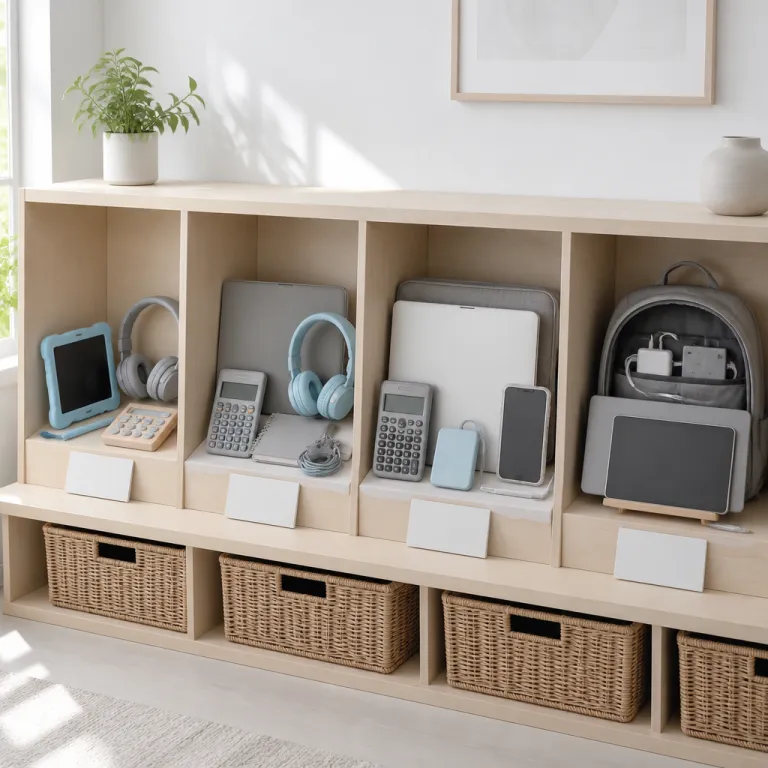
Framing the back to school tech budget by grade
Parents heading into the school shopping season face a hard reality. Surveys from the National Retail Federation indicate that average spending per child on supplies and technology now approaches 480 to 500 dollars, while most families still need to save on groceries, transport, and everyday bills. With so many laptops and tablets promoted as the best choice, it becomes easy to overpay for features a student will never use.
The phrase back to school laptop deals 2026 shows up everywhere in advertising, yet those promotions often hide trade offs in battery life, storage, and return policies that matter across the full school year. A clear framework by grade level helps you match each laptop or tablet to real classroom needs, so you can save money without leaving a student under equipped for projects or online platforms. Think of it as building a tech ladder, where each step from primary school to college adds only the high performance features that genuinely support learning.
Start by separating wants from needs before you even look at school deals or a school sale flyer. A younger student might ask for gaming laptops or a flashy gaming desktop, but most elementary assignments run perfectly on basic Windows laptops or a managed Chromebook with strong parental controls. Older students, especially in high school and college, may justify a more powerful Intel Core or even Core Ultra processor when they handle coding, design, or data heavy science work.
To ground those choices, it helps to translate broad advice into concrete examples. The tables in each section below outline typical configurations by grade band, with approximate prices based on recent mainstream models from brands such as Dell, Lenovo, and Microsoft. Treat them as starting points rather than strict rules, then adjust for local pricing, student needs, and any school specific device requirements.
How retailers shape the back school narrative
Retailers know that families search for back school bargains, so they push limited time offers that sound urgent but are not always the lowest price of the season. Big chains highlight doorbusters on a 15 inch or 13 inch Dell laptop or Lenovo laptops, while smaller stores quietly run longer school deals with better financing offers and more flexible returns. Recent consumer surveys from major research groups show that a clear majority of shoppers now expect higher prices and prioritize value over brand names, so brands respond with bundles that mix laptops, accessories, and software subscriptions.
When you see star ratings under a laptop listing, read beyond the average score and look at comments from other students and parents. Focus on mentions of battery life during a full school day, keyboard comfort for long essays, and how well the laptop holds up in a backpack or on the bus. A five star score means little if several reviews mention a cracked hinge or a charger that fails before the end of the school year.
Families who juggle multiple students should also think in terms of hand me down potential. A sturdy Dell Pro or Surface Laptop with an Intel Core processor might start with an older student, then move back to a younger sibling when that student upgrades for college. That kind of long term planning turns a single school sale purchase into several years of value, instead of chasing every new model that appears in seasonal laptop promotions and back to school laptop deals 2026 ads.
Grade school: tablets, basic laptops, and real durability
For primary school students, the main goal is simple access to classroom platforms, reading apps, and basic creative tools. A lightweight tablet or entry level laptop with a smaller 11 inch or 12 inch screen usually handles these tasks, while keeping the price and repair costs under control. At this age, durability and easy replacement matter more than high performance specs or premium designs.
Many schools standardize on Chromebooks or simple Windows laptops, so check the recommended device list before chasing flashy back to school laptop deals 2026 banners. If the school already provides a managed device, your home laptop or tablet can stay modest, focusing on good battery life, a sturdy case, and a clear screen for reading. In this bracket, certified refurbished laptops can be risky because younger students drop bags, spill drinks, and forget cases, which makes a new but inexpensive model with a solid warranty a safer bet.
When you compare offers, ignore marketing language about Intel Core or Core Ultra processors for this age group. A basic Intel chip or similar processor is enough for browser based learning tools, video calls with teachers, and simple educational games that are far from demanding gaming laptops. Put your budget instead into a protective sleeve, a spill resistant keyboard, and maybe an extended protection plan if the school year will involve long bus rides or after school programs.
To see how this looks in practice, consider these typical grade school setups. Prices are approximate and based on common configurations available during recent back to school seasons.
| Grade level | Example device type | RAM | Storage | Estimated price |
|---|---|---|---|---|
| K–2 | 11" Chromebook or basic tablet | 4 GB | 32–64 GB | 180–250 dollars |
| 3–5 | 11–12" Windows laptop or Chromebook | 4–8 GB | 64–128 GB | 220–320 dollars |
Where brand names matter less than policies
Parents often feel pressure to choose a big brand like Dell, Lenovo, or a Surface Laptop because those names dominate school sale flyers. In practice, the best choice for a young student is the laptop or tablet that comes with clear return rules, easy warranty service, and replacement parts that do not cost half the original price. A no questions asked return window of at least 14 days is worth more than a slightly lower sticker price on a no return clearance sale.
Look closely at school deals that bundle accessories, because some bundles add low quality headphones or cases that break quickly. It can be smarter to buy select products separately, pairing a mid range Dell laptop or Lenovo laptops with a third party rugged case that has strong star reviews from other parents. This approach keeps your total spend similar while improving the real world resilience of the device in a child’s backpack.
Timing also plays a role for grade school families trying to save money. July often brings early bird deals with modest discounts, August ramps up with aggressive back school promotions, and September sometimes offers clearance sales on remaining stock. If your child’s school does not require a device on day one, waiting until the first homework assignments clarify actual needs can prevent buying a laptop that sits unused while you still pay off financing offers.
Thinking beyond tech: opportunity cost of every euro
Every euro or dollar you allocate to a laptop is money you cannot use for sports fees, music lessons, or tutoring. That is why a disciplined framework for tech spending matters as much as comparing the price of different laptops or tablets. Some families even apply the same comparison mindset to other big ticket items, such as weighing the long term costs of a car or home renovation against education priorities.
When you weigh a more expensive Dell Pro or Surface Laptop against a simpler model, ask how often your child will truly use the extra power. If the answer is “maybe for games” rather than “definitely for required software,” you have a clear signal to step back from the premium tier. The goal is not to chase the best looking spec sheet, but to match each euro of spending to a real educational outcome during the coming school year.
Families who keep a running list of tech priorities often find it easier to resist impulse buys. If your list says “sturdy 11 inch laptop with long battery life and spill resistant keyboard,” then a glossy ad for a 17 inch gaming machine becomes easier to ignore. That discipline turns seasonal laptop promotions from a source of stress into a structured opportunity to upgrade only what truly matters.
Middle and high school: stepping up specs without overbuying
Once students reach middle school, the workload shifts toward longer essays, group projects, and more frequent online research. At this stage, a full laptop rather than a tablet becomes the better tool, especially one with a comfortable keyboard and at least a 13 inch or 14 inch screen. You still do not need extreme gaming laptops, but you should start paying attention to processors, memory, and storage.
A modern Intel Core processor with 8 gigabytes of RAM usually handles school platforms, video calls, and light creative work for several years. If your student is interested in coding, photo editing, or basic video projects, stepping up to 16 gigabytes and a slightly stronger Core Ultra or similar chip can extend the useful life of the laptop through the end of high school. The key is to balance these upgrades against your budget, remembering that every extra feature should have a clear use case during the school year, not just theoretical future needs.
Refurbished laptops start to make more sense in this age range, especially from reputable sellers that offer clear warranties and honest star reviews. A refurbished Dell laptop or Lenovo laptops with a solid Intel Core processor can cost significantly less than a new model, while still delivering high performance for school tasks. Just avoid older machines with weak battery life or limited storage, because those hidden costs show up quickly when students juggle large projects and offline study sessions.
To narrow choices, compare them against a simple middle and high school spec guide. These ranges reflect common configurations that balance performance, price, and durability for teens.
| Grade level | Example laptop type | RAM | Storage | Estimated price |
|---|---|---|---|---|
| 6–8 | 13–14" Windows laptop or Chromebook Plus | 8 GB | 128–256 GB | 350–550 dollars |
| 9–12 | 14–15" Windows laptop with Intel Core | 8–16 GB | 256–512 GB | 500–800 dollars |
When gaming and school collide on one device
Many teenagers want a single laptop that handles both homework and gaming, which complicates the search for back to school laptop deals 2026. True gaming laptops include dedicated graphics chips, extra cooling, and often heavier bodies, all of which raise the price and reduce battery life compared with standard Windows laptops. If your student plays only casual games or cloud based titles, a mid range Intel Core system with integrated graphics may be enough, saving you hundreds over a full gaming rig.
For serious gamers who insist on high frame rates, consider whether a shared family desktop or console might be a better investment than a bulky gaming laptop that travels to school every day. A lighter Dell Pro or Surface Laptop can then focus on portability and classroom reliability, while gaming happens on a device that stays safely at home. This split setup often extends the lifespan of both machines and reduces the risk of damage during the commute back and forth to school.
Families exploring creative ways to stretch budgets sometimes look at programs that promise a free or nearly free laptop. Before signing up, read careful guides on smart ways to get a free laptop without falling for bad deals, because some offers hide strict conditions, data sharing requirements, or long term contracts. A transparent payment plan with reasonable financing offers from a trusted retailer can be safer than a “free” device that locks you into expensive services for years.
Total cost of ownership and timing your purchase
Middle and high school families benefit from thinking in terms of total cost of ownership rather than just the initial price. A slightly higher upfront cost for a laptop with better battery life, a stronger hinge, and a metal chassis can pay off when it survives four full school years without major repairs. In contrast, a bargain model that needs a new charger, keyboard, and screen within two years quickly erases any initial savings you thought you achieved.
Timing still matters at this stage, but the stakes are higher because students often need a working device on the first day of classes. July can be a good moment to track early offers and compare models, August brings the widest range of school sale events, and late August or early September sometimes offers price drops on select products that did not sell out. If your current laptop is limping along, consider whether a limited time promotion with a strong warranty now is safer than gambling on a deeper discount later while your student struggles with a failing machine.
Families who manage multiple students can also rotate devices strategically. A new Dell laptop or Lenovo laptops with an Intel Core chip might go to the oldest student, while their previous machine passes down to a younger sibling whose needs are lighter. This cascade approach turns each major purchase into a multi year asset across the family, aligning with the mission of never overpaying by squeezing maximum value from every device.
College and beyond: professional tools, financing, and real value
College students and vocational trainees face the most complex tech decisions, because their laptops often double as both study tools and early career machines. Here, the right choice depends heavily on the field of study, from humanities majors who mainly write papers to engineering students who run heavy simulations. A one size fits all approach fails, so you need to map program requirements to specific hardware features before chasing back to school laptop deals 2026 banners.
For writing focused majors, a lightweight 13 inch or 14 inch Surface Laptop, Dell Pro, or similar Windows laptops with a recent Intel Core processor and 16 gigabytes of RAM usually offers more than enough power. Creative fields such as design, film, or architecture may justify a higher end Core Ultra chip, more memory, and a dedicated graphics card, though these upgrades raise the price and reduce battery life. In those cases, look for school deals that bundle professional software licenses or extended warranties, because those extras can offset the higher hardware cost over the full school year.
STEM programs often publish recommended specs, which might include minimum processor levels, storage, and graphics capabilities. Treat those lists as your baseline, then compare multiple laptops from brands like Dell, Lenovo, and Microsoft to see which models deliver the required high performance at the lowest long term cost. When in doubt, prioritize a comfortable keyboard, a bright screen, and strong build quality, because those factors shape daily use more than small benchmark differences between similar Intel Core chips.
To keep expectations realistic, it helps to see typical college ready configurations side by side. These examples reflect common setups for different types of majors, not endorsements of specific models.
| Program type | Example laptop profile | RAM | Storage | Estimated price |
|---|---|---|---|---|
| Humanities / business | 13–14" ultrabook with Intel Core | 16 GB | 512 GB | 750–1,000 dollars |
| STEM / creative | 14–15" laptop with Core Ultra and dedicated graphics | 16–32 GB | 512 GB–1 TB | 1,000–1,600 dollars |
Financing offers, student discounts, and avoiding debt traps
Because college laptops can be expensive, many retailers promote financing offers that spread payments over several months or years. These plans can help families manage cash flow, but only if the interest rate, fees, and total repayment amount stay reasonable compared with the laptop’s expected lifespan. Always calculate the full cost of the financing, then compare it with paying upfront during a strong school sale or waiting for a limited time promotion that aligns with your budget.
Before signing any financing agreement, students should activate available education discounts. Apple Education pricing, Best Buy student deals, and Amazon Prime Student often stack with seasonal offers, lowering the effective price of select products without adding debt. Some universities also partner with manufacturers like Dell or Lenovo to provide preconfigured laptops at negotiated rates, which can simplify choices and ensure compatibility with campus support services.
Families who want to stretch budgets even further sometimes explore refurbished or open box laptops from reputable retailers. In the college segment, a carefully vetted refurbished Dell laptop or Lenovo laptops with strong star reviews can deliver near new performance at a meaningful discount, especially when paired with a fresh battery and a new warranty. The key is to avoid very old models that lack current security updates or have poor battery life, because those weaknesses undermine the value of any apparent savings.
Thinking like an analyst: from consoles to coursework
Learning to evaluate tech deals for college laptops can also help students make smarter decisions about other electronics. The same cost per use logic that applies to a study machine also applies when comparing entertainment devices, such as analyzing how much it really costs to rent a PS5 over time versus buying one outright. Once students grasp that price is only the headline and total cost of ownership is the real story, they become more resistant to flashy but shallow promotions.
Encourage your student to track how often they use key features during the first semester. If they rarely touch the dedicated graphics card or advanced ports, that insight can guide future purchases toward simpler, more efficient laptops that still meet their needs. Over several school years, this reflective approach can save hundreds of dollars and reduce electronic waste, while still ensuring that every student has the right tool for their academic path.
By treating back to school laptop deals 2026 as a structured research project rather than a rushed shopping trip, families can align every purchase with clear educational goals. Whether you choose a compact 13 inch Surface Laptop, a robust 15 inch Dell Pro, or a versatile Lenovo laptops model, the same principles apply. Match specs to real tasks, read star reviews with a critical eye, and remember that the best laptop is the one that quietly supports learning day after day without draining your budget.
FAQ
How much should I budget for a school laptop by grade level ?
For primary school, many families stay under 300 dollars by choosing a basic 11 inch or 13 inch laptop or tablet with strong battery life and a protective case. Middle and high school students often need 400 to 700 dollars for a reliable Windows laptops model with an Intel Core processor and enough storage for several years of work. College students in demanding majors may require 800 dollars or more for high performance machines, though refurbished options and student discounts can lower that total.
Is a tablet enough for elementary school, or do we need a full laptop ?
Most elementary students can manage with a tablet or simple Chromebook, as long as the device runs the school’s learning apps and video platforms smoothly. A full laptop becomes more useful once typing assignments grow longer and students juggle multiple browser tabs for research. Check your school’s recommended device list before buying, because some districts standardize on specific systems to simplify support.
When is the best time to buy during the back to school season ?
July often brings early promotions with modest discounts, while August usually offers the widest range of back to school laptop deals 2026 across major retailers. Late August and early September can deliver clearance prices on select products that did not sell out, but stock and configuration choices may be limited. If your current device is failing, it is safer to buy during a solid August school sale with a good warranty than to wait for a slightly lower price and risk downtime.
Are refurbished laptops safe for students, or should we always buy new ?
Refurbished laptops from reputable sellers can be a smart way to save money for middle school, high school, and college students, especially when they include a fresh battery and at least a one year warranty. They are less ideal for very young children who are more likely to drop devices, because accidental damage is rarely covered and repairs can erase any initial savings. Always check star reviews, return policies, and the exact processor and storage specs before choosing a refurbished model.
How do I balance gaming needs with school requirements on one device ?
If your student plays only light or casual games, a mid range Intel Core laptop with integrated graphics usually handles both schoolwork and entertainment without the cost and weight of full gaming laptops. Serious gamers who want high frame rates may be better served by a separate console or desktop at home, while a lighter laptop focuses on portability and classroom reliability. Splitting roles this way often extends device lifespans and keeps your total tech budget under better control.